




Modern airbag control units store crash records after a collision event. Even after damaged airbags and related components are replaced, the SRS warning light may remain active because the crash data is still stored inside the airbag module. In many cases, replacing the entire module is unnecessary. With OBDSTAR P50, technicians can back up EEPROM data, erase crash records, and restore the airbag control unit to normal operation.
This tutorial demonstrates the complete repair process for a Mitsubishi airbag control unit equipped with 9S12DG64 processor.
Before starting, prepare the following tools:
- P50 airbag reset tool
- High-Power DC Regulated Power Supply
- Main Cable
- Jumper Wires
- P004 Adapter
- Mitsubishi Airbag Control Unit (9S12DG64)
For the best compatibility and newest functions, ensure that the OBDSTAR P50 software has been updated to the latest version.
Accessing the Airbag Repair Function
Power on OBDSTAR P50 and enter [Crash Reset] → [AIRBAG RESET] → [SRS]

Use the search function in the upper-right corner to locate the correct Mitsubishi airbag model.
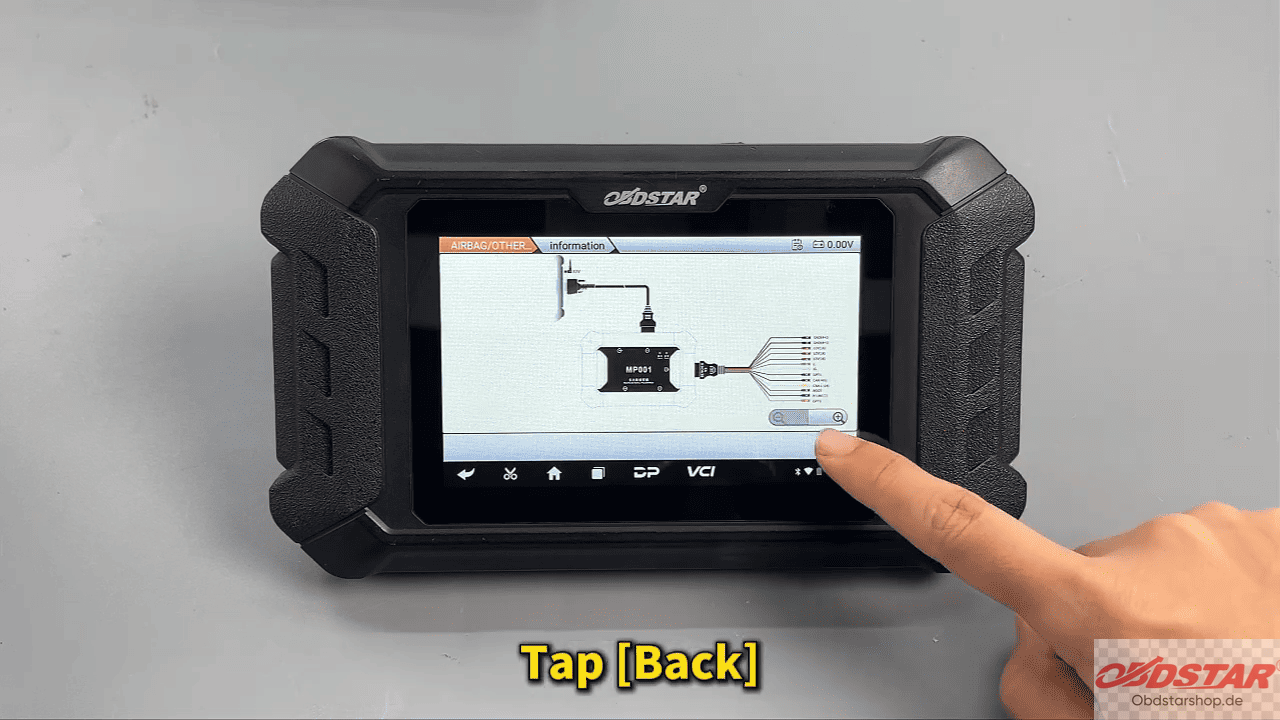
Before proceeding, open the [Guide] menu and carefully review the operation instructions, wiring requirements, and connection diagrams provided by the device.
Connecting the Airbag Module
Select [Connector Pinout] to display the wiring diagram.
Connect the airbag control unit according to the on-screen instructions using the main cable, jumper wires, P004 adapter, and regulated power supply.
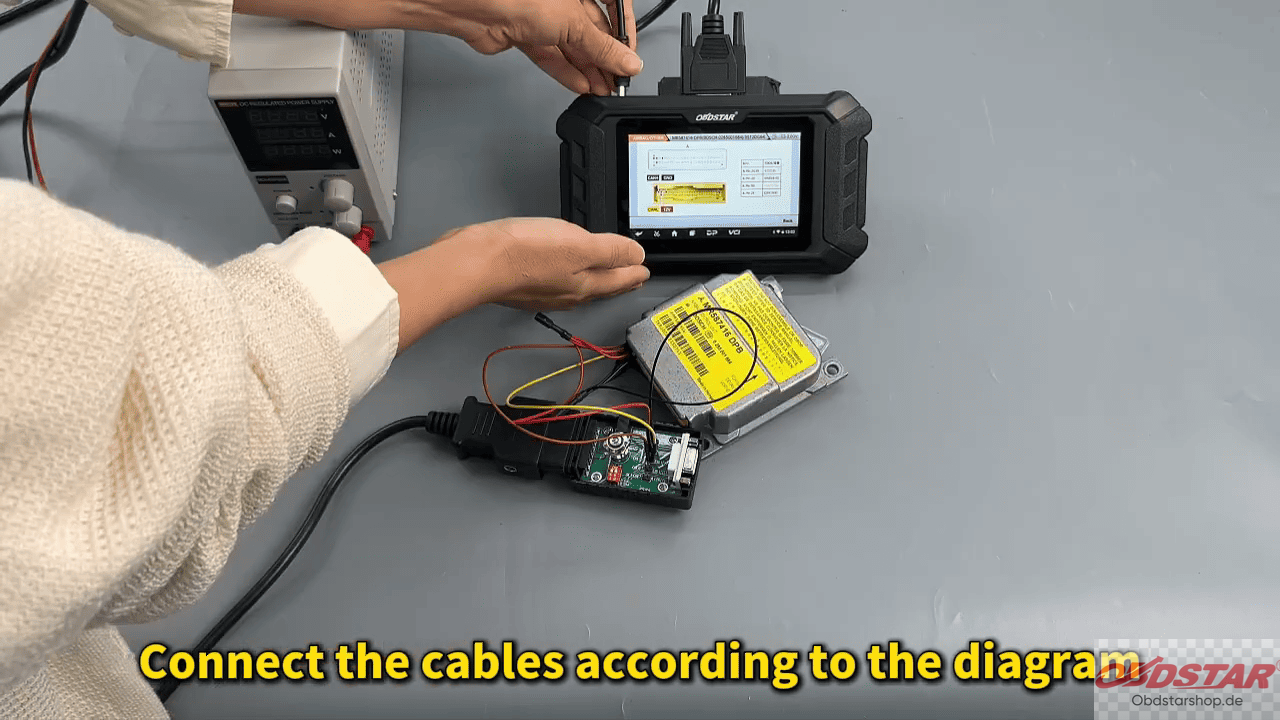
After confirming all connections, switch the ignition ON and return to the main operation screen.

Select [Start], then choose: [BENCH Mode] → [Corresponding Adapter]
The device will establish communication with the airbag module.
Reading ECU Information and Diagnosing Faults
Once connected, read the ECU information to verify the airbag part number and confirm that the correct module is being serviced.
Next, perform a DTC (Diagnostic Trouble Code) scan.
In this demonstration, the airbag control unit contains no active collision records, but attempting to erase DTCs directly results in a failure message. This typically indicates that the module still contains stored crash data or remains installed in the vehicle environment.

Backing Up EEPROM Data
Before performing any repair operation, create a backup of the original EEPROM data.
Navigate to: [Advanced Function]
Read and save the EEPROM data file.
This backup is critical because it allows technicians to restore the original module data if necessary.

After the EEPROM reading process is complete, follow the device instructions and disconnect the 12V power supply.

Wait approximately 30 seconds before restoring power and turning the ignition ON again.
Erasing Crash Data
Return to the repair menu and select: [Erase Crash]
The OBDSTAR P50 will ask whether the EEPROM data has already been read and saved.
Confirm by selecting [OK].
Browse to the EEPROM backup file that was created earlier and load the file into the software.

The device will automatically analyze the data and remove the stored crash information.
After processing is complete, the screen will display:
Erase Successful
This confirms that the crash records have been cleared from the airbag control unit.

Clearing DTCs After Repair
Select [Start] once again.
Turn off the power supply and wait approximately 30 seconds.
Restore power and switch the ignition ON.
Now perform [Erase DTC] again.

This time the operation should complete successfully, confirming that both the crash data and associated fault codes have been removed.
Repairing a Mitsubishi 9S12DG64 airbag control unit with OBDSTAR P50 airbag reset tool is a straightforward process when proper backup procedures are followed. By reading and saving the EEPROM data, erasing crash records, and clearing DTCs, technicians can restore airbag functionality without replacing the entire module.
Read also:
How to Reset XPENG Airbag Control Module Using OBDSTAR P50
Leave a Reply