




In this guide, we’ll read and write the data on DONGFENG DELPHI MT22 RA ECU (MC9S12XEQ512) using KeyMaster G3 .
What You’ll Need
OBDSTAR X300 Classic G3
MP001 Programmer
High-Power DC Regulated Power Supply
Main Cable
Jumper Wires
DONGFENG DELPHI MT22 RA ECU (MC9S12XEQ512)
It’s also recommended to update the KEYMASTER G3 software to the latest version before performing any ECU operation.
Select the Correct ECU Model
From the main menu, enter ECU Flasher and select ECM.
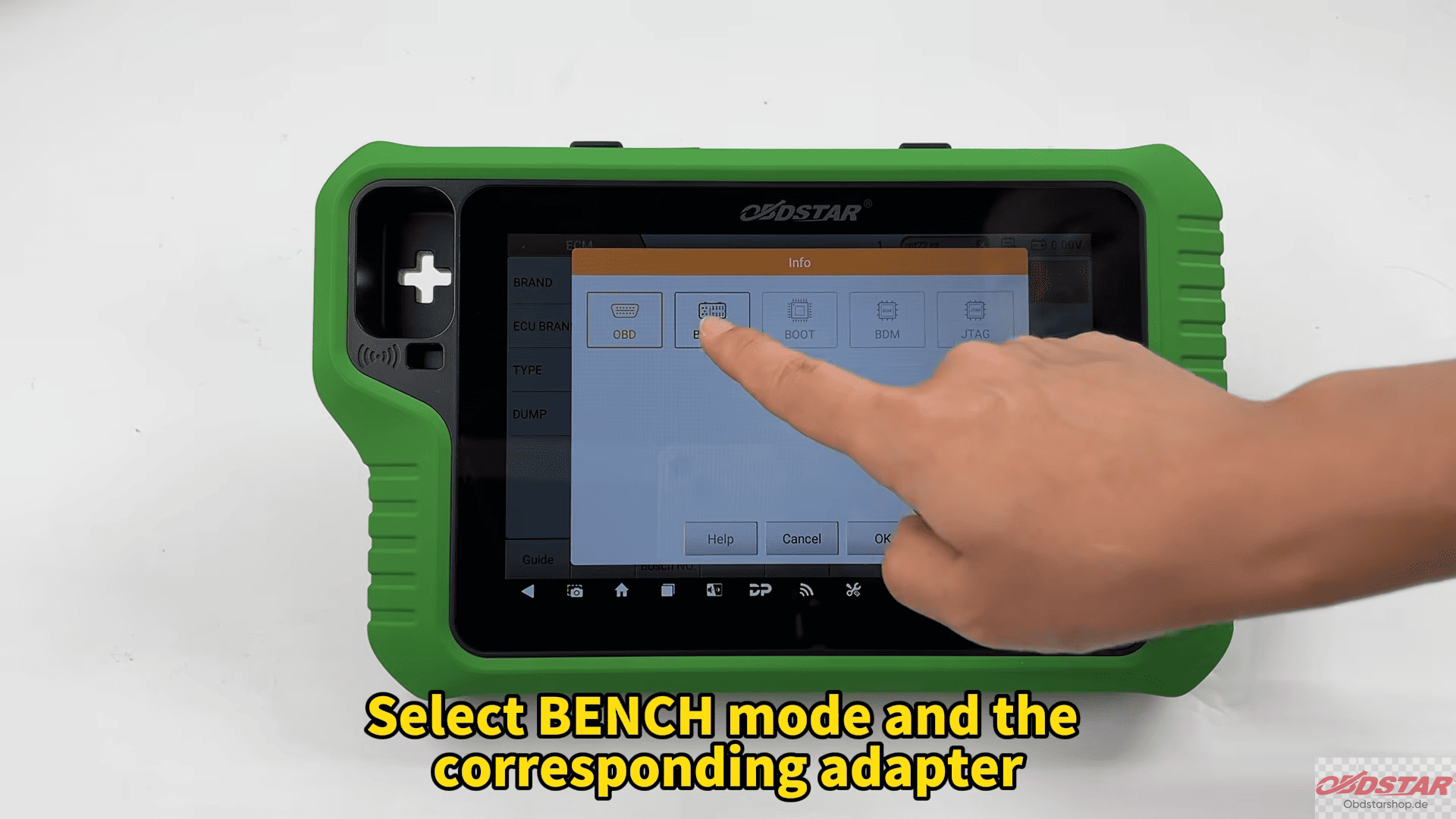
Use the search function to quickly locate the corresponding DONGFENG ECU model, then choose BENCH Mode together with the appropriate adapter.
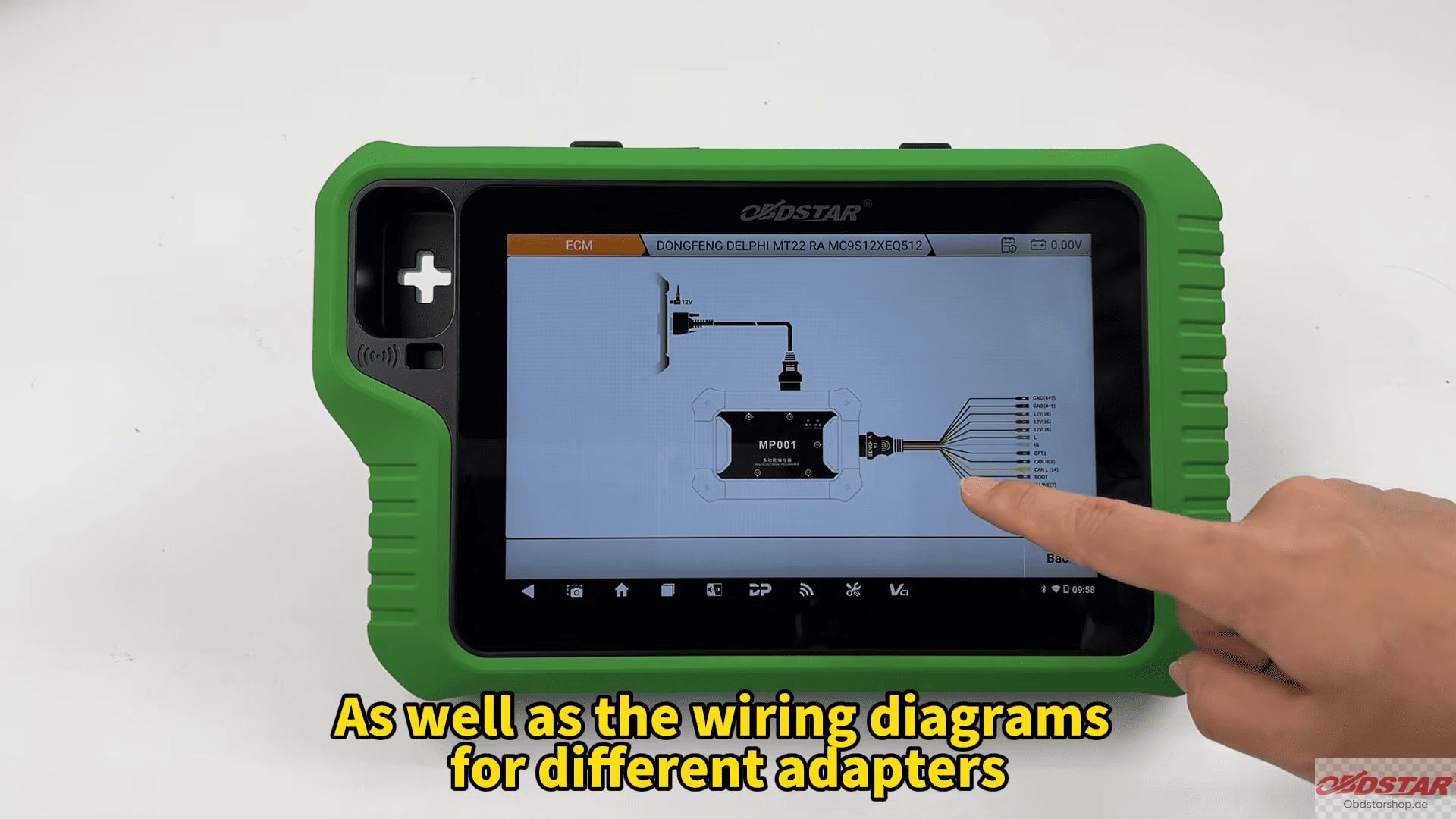
Before making any connections, open the Guide section. Here you’ll find operation notes, wiring instructions, and adapter-specific connection diagrams that help ensure everything is connected correctly.
Verify the ECU and Wiring
After reviewing the guide, compare the ECU appearance shown on the device with the physical module to confirm you’ve selected the correct model.
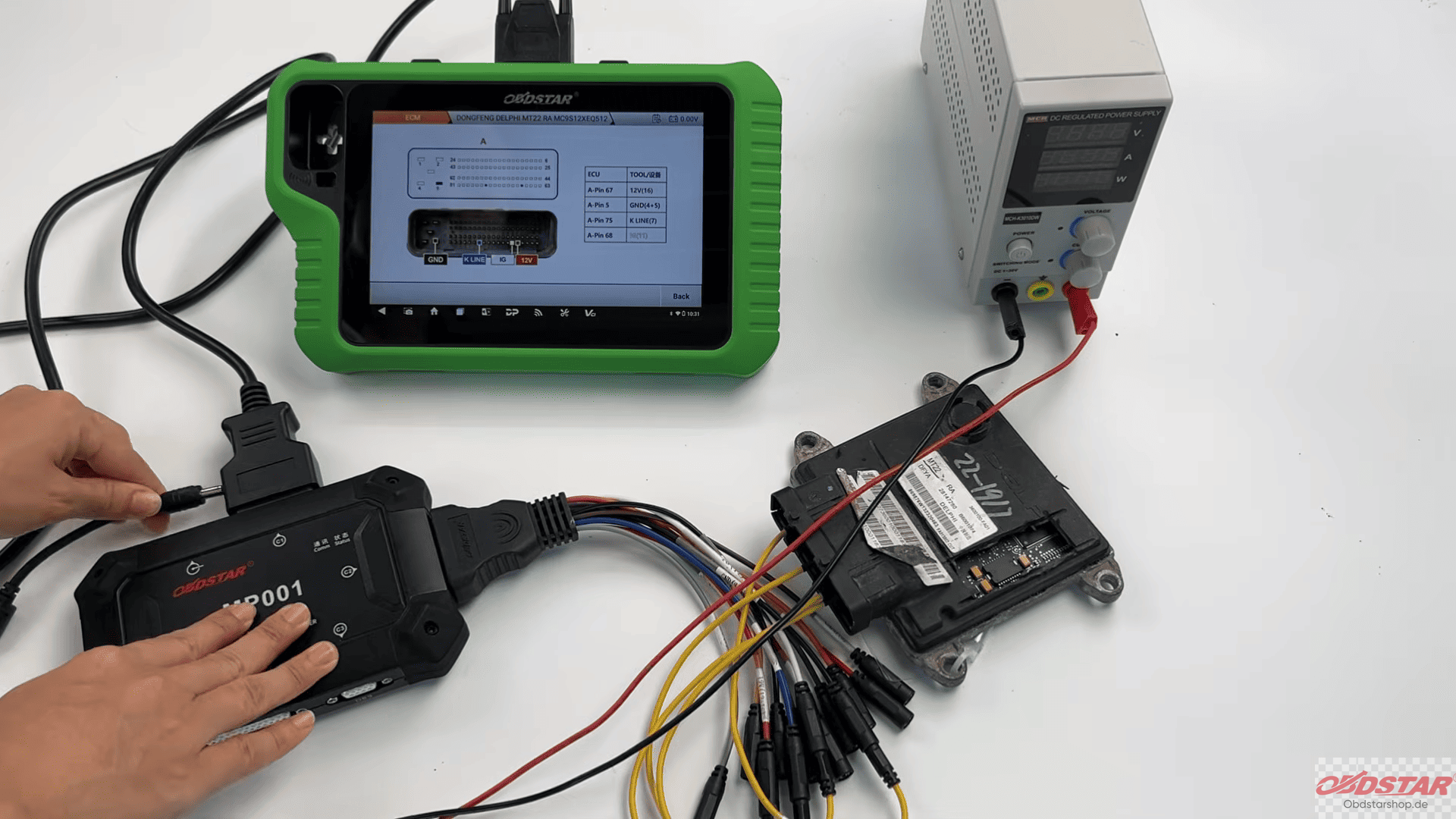
Next, open the Connector Pinout page and wire the ECU according to the displayed diagram.
Back Up FLASH and EEPROM Data
Creating a backup before making any changes pls.
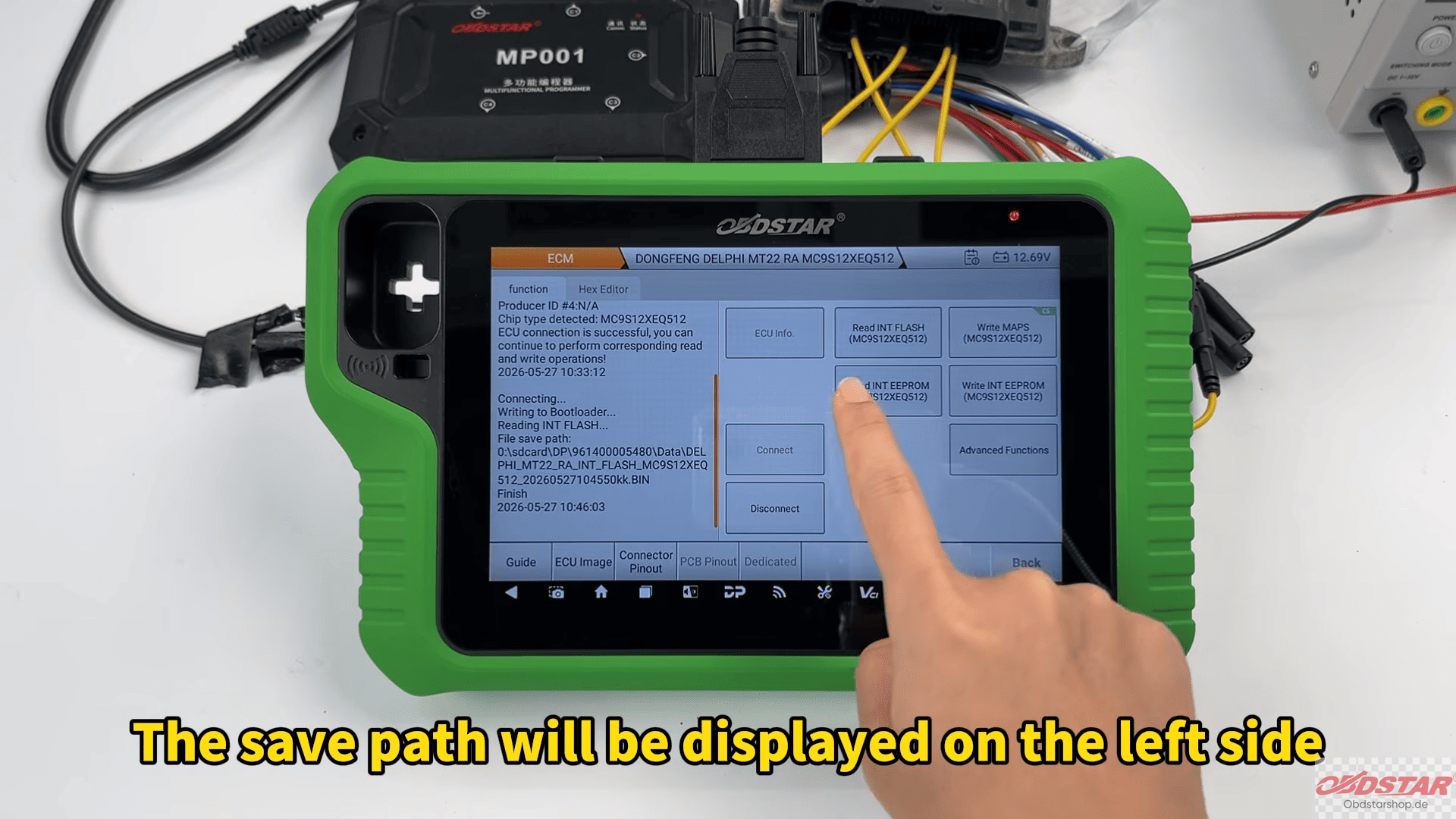
First read the FLASH data and save the backup file with a custom name for easier identification later. The save location is displayed on the screen, making it simple to manage multiple projects.
Tip: The EEPROM backup follows exactly the same workflow. Having both files safely stored provides an extra layer of protection should restoration ever be required.
Write MAPS or EEPROM Data
When it’s time to write data back to the ECU, select Write MAPS and choose Load External Data.
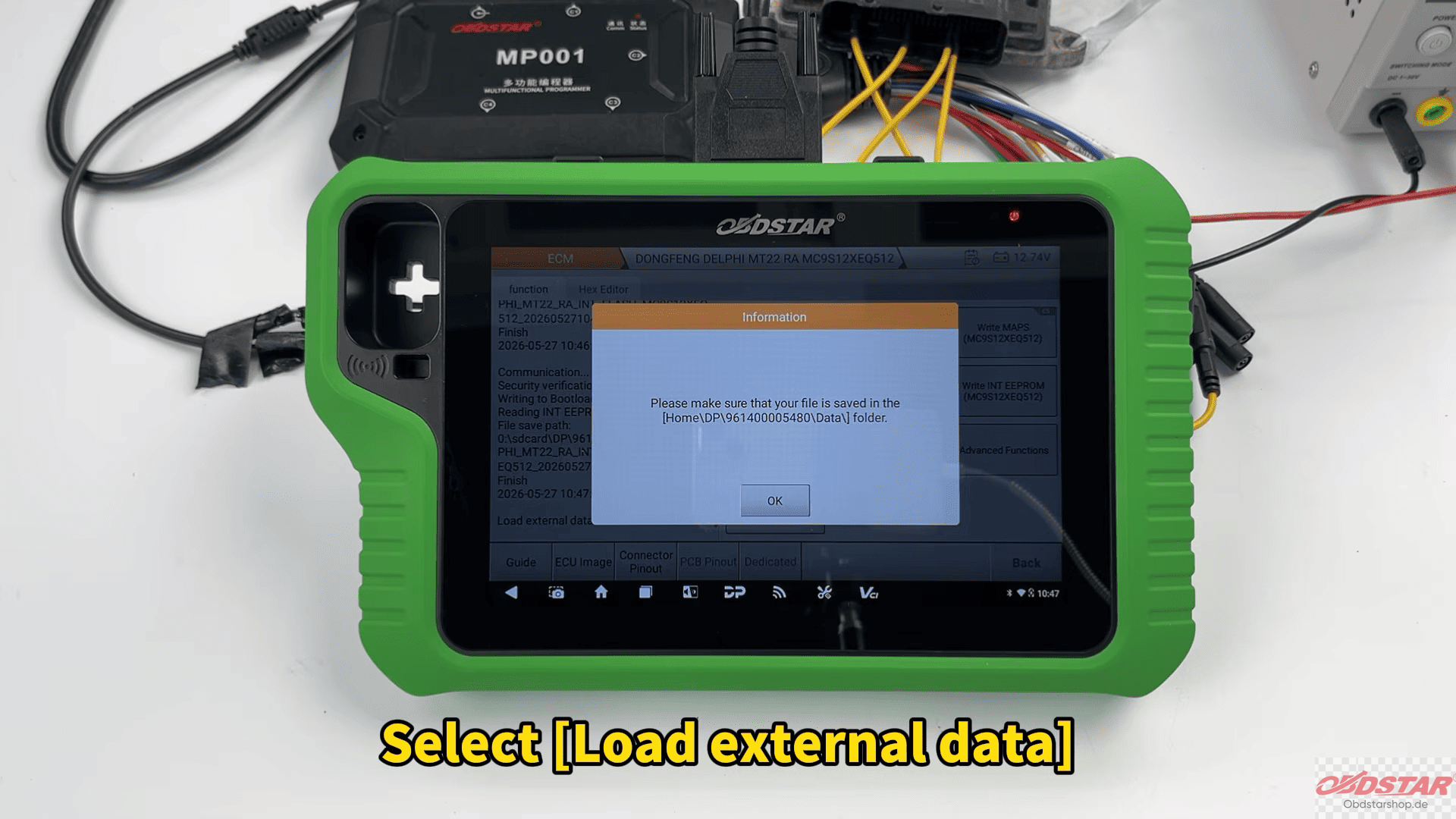
The built-in file browser allows you to locate files by filename, creation date, or search function, making it convenient even when working with multiple backups.
After selecting the correct file, the system asks whether data verification is required. If the file hasn’t been modified, you can proceed directly with the writing process.
The procedure for writing EEPROM data is same. Once completed, both FLASH and EEPROM can be successfully programmed back into the ECU.
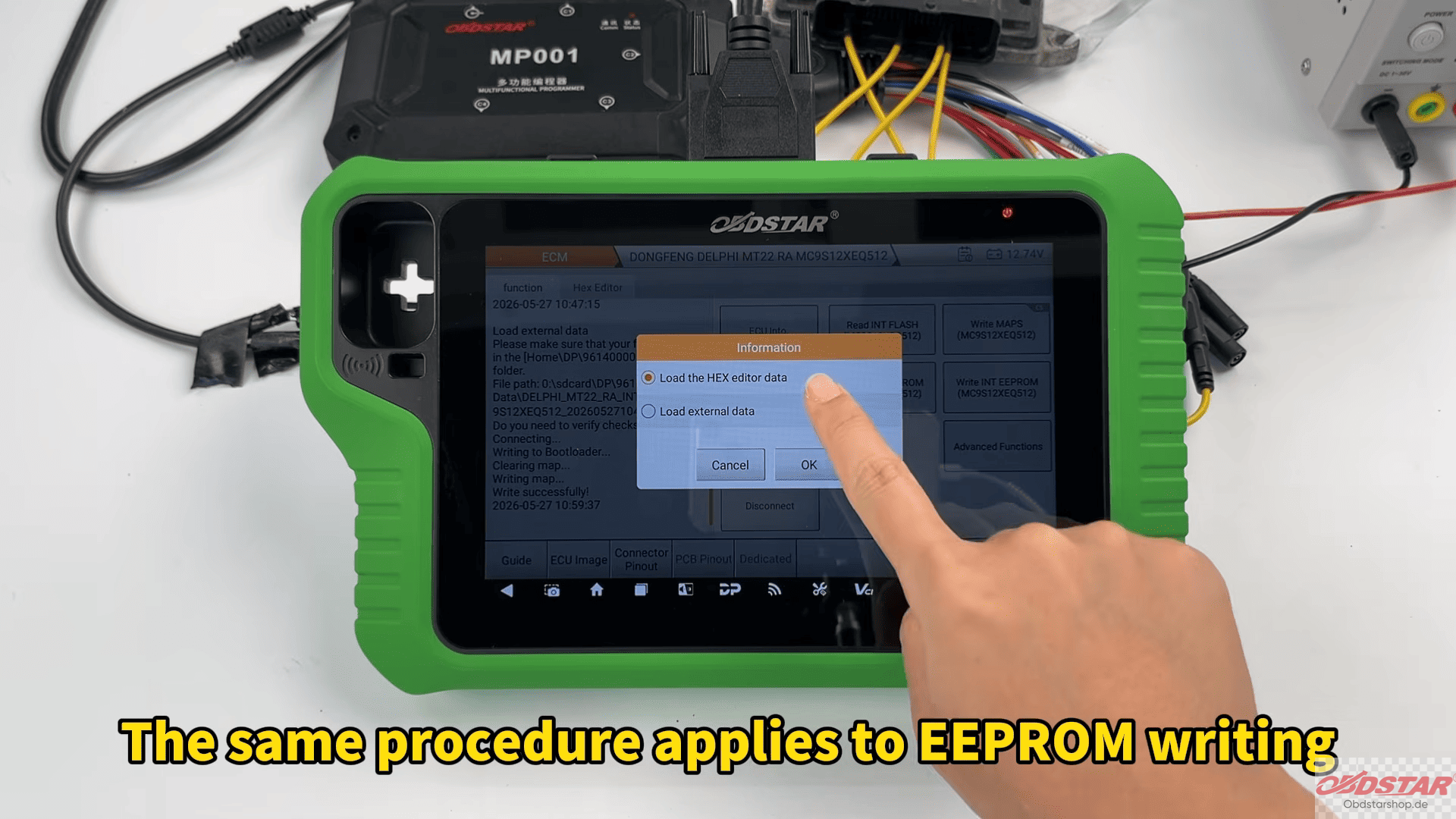
Modify the VIN
Beyond data reading and writing, OBDSTAR G3 also supports VIN programming.
Tap to Advanced Functions and select Write VIN.
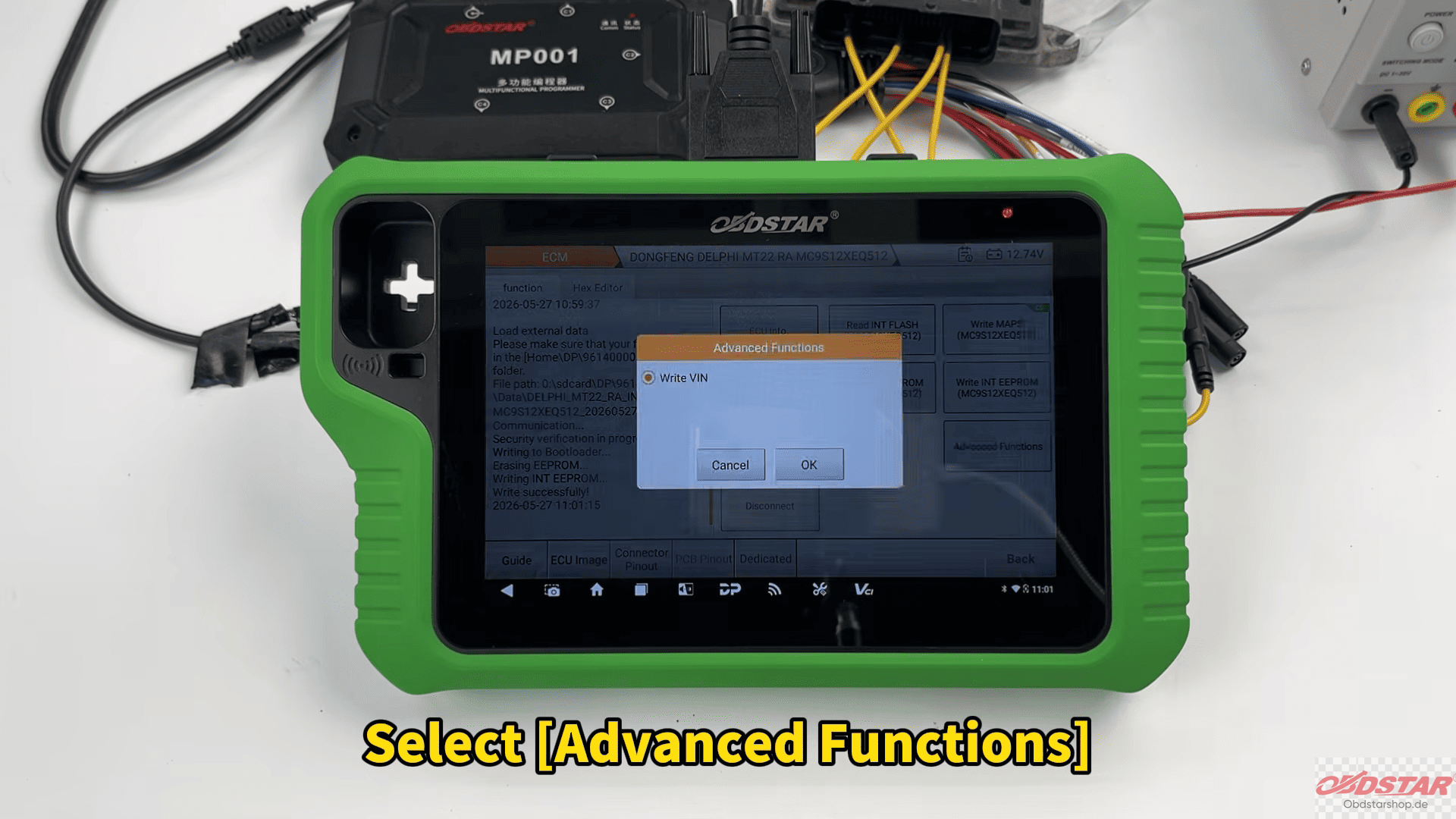
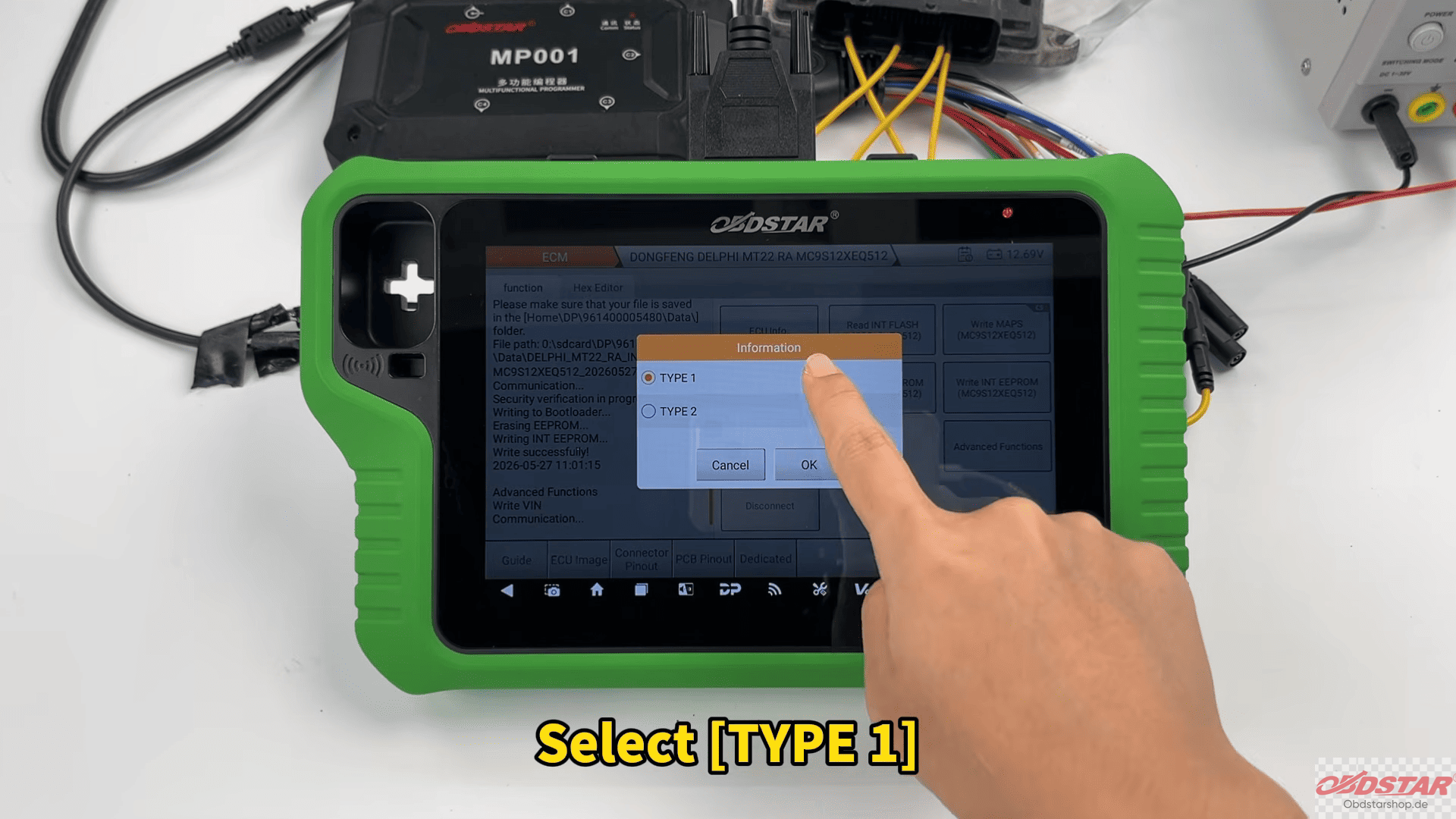
Choose Type 1, enter the desired VIN, confirm the information, and start the writing process. Within moments, the new VIN is successfully stored in the ECU.
2026 OBDSTAR June Promotion Is Here!
From June 10 to June 22, 2026, enjoy exclusive special pricing on OBDSTAR flagship products, including professional key programmers and ECU flasher tools.
Don’t wait until it’s over—grab your favorite OBDSTAR tool while the deals last!
https://www.obdstarshop.de/producttags/2026-flash-sale.html
Read also:
How to Read and Write Volvo MPS6 GEN3 TCM Data with OBDSTAR X300 Classic G3
KEYMASTER G3 Tutorial Nissan X-Trail Key Programming Guide
Leave a Reply