



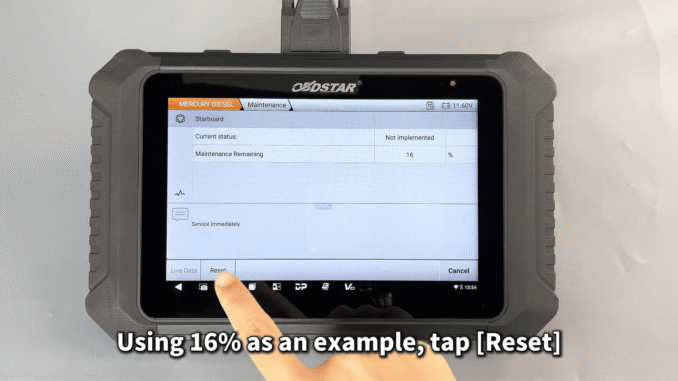
OBDSTAR MarineMaster is a powerful marine diagnostic tool that makes performing maintenance resets on Mercury Diesel engines quick and straightforward. In this guide, we’ll walk through the step-by-step process using the OBDSTAR MarineMaster maintenance function.
1. Connect the Device
Before starting, securely connect the OBDSTAR MarineMaster to the boat using the dedicated marine diagnostic cable.
2. Access the System
Tap [Marine Diag] on the main menu.
Select the appropriate Mercury Diesel model.
3. Enter Special Functions
Navigate to the [Special Function] menu.
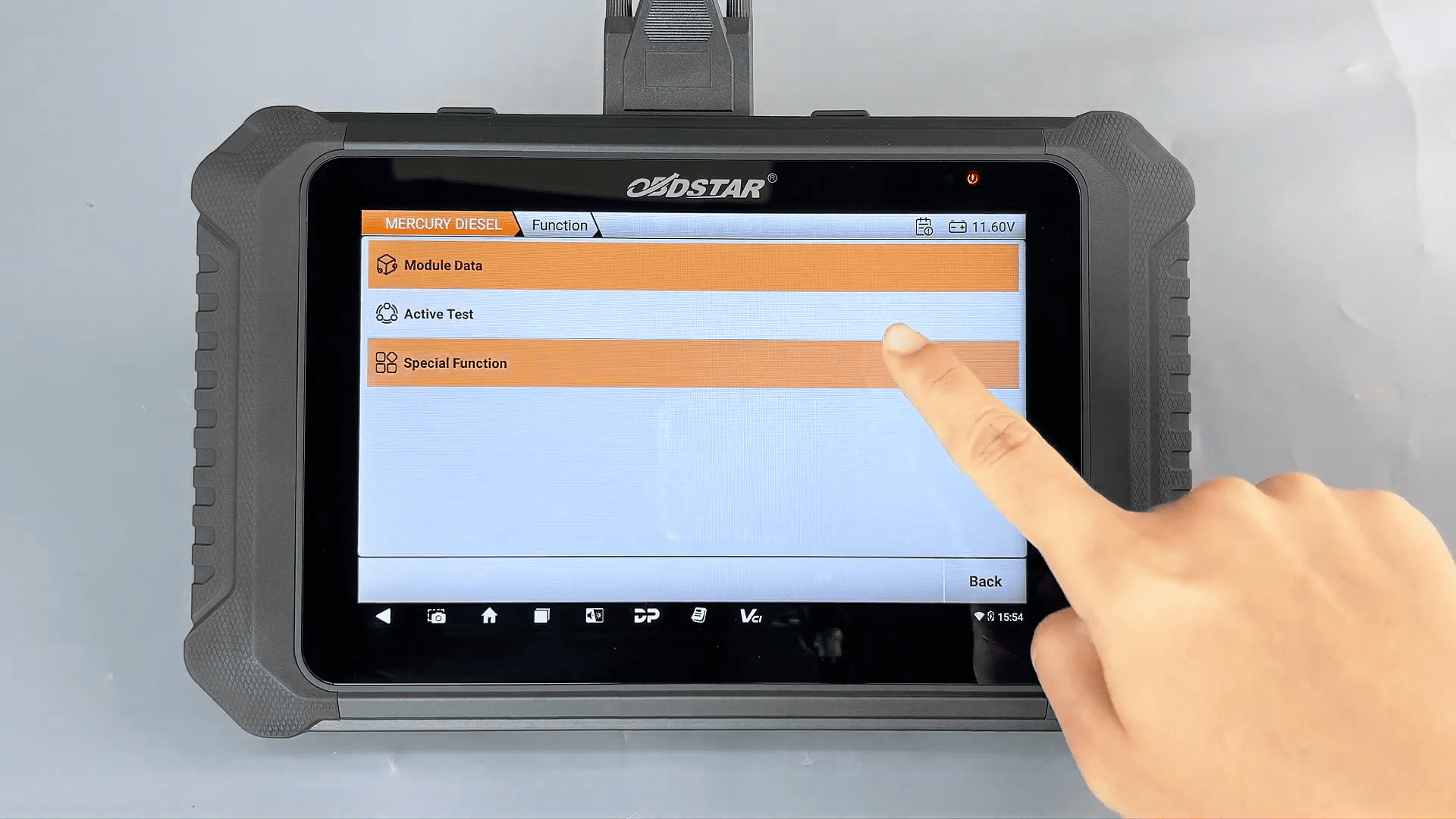
Scroll down and select [Maintenance] → Tap [OK].
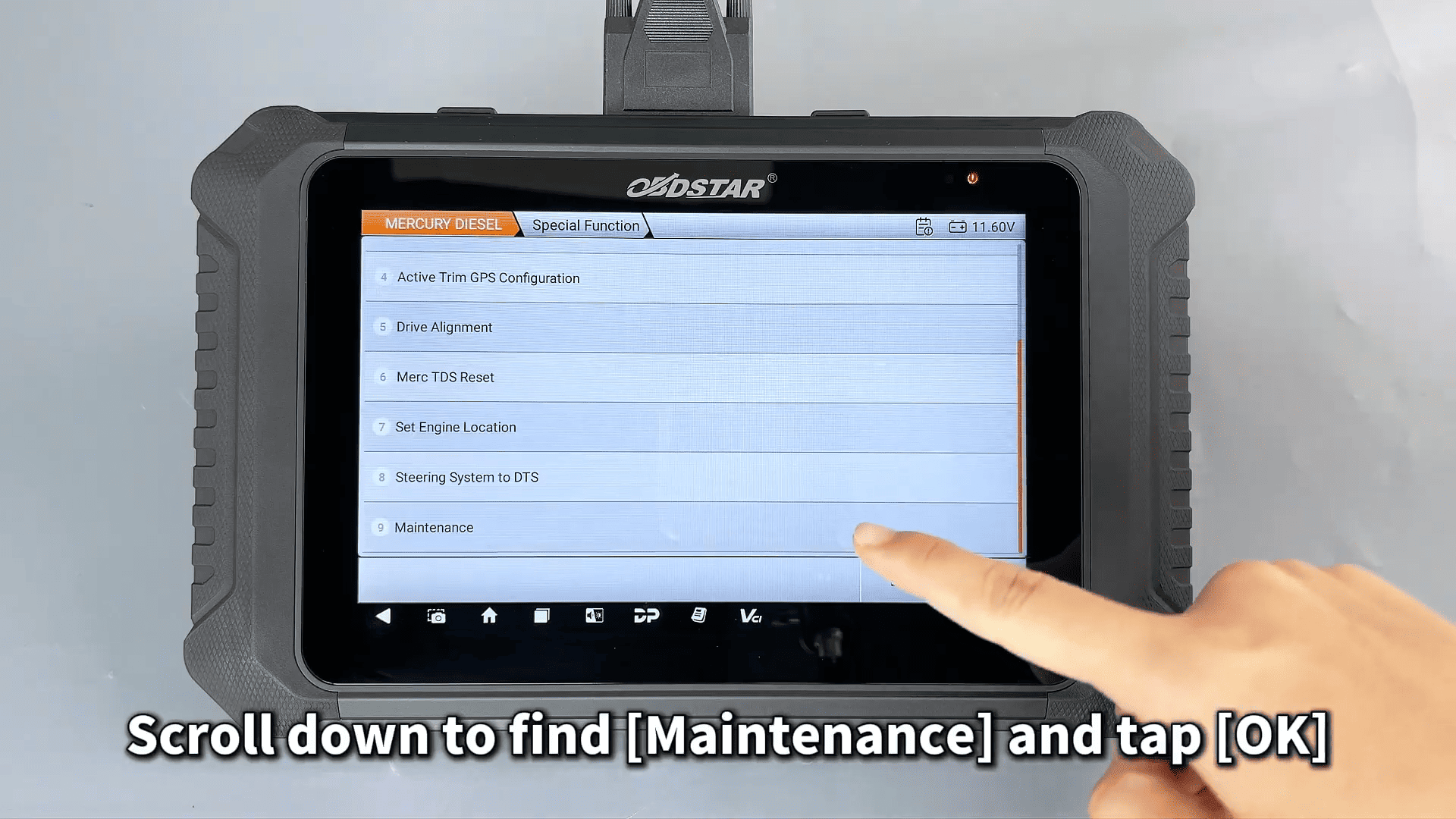
4. Follow On-Screen Instructions
Read the scheduled maintenance description.
Shift the throttle to the required position and confirm.
5. Check Maintenance Status
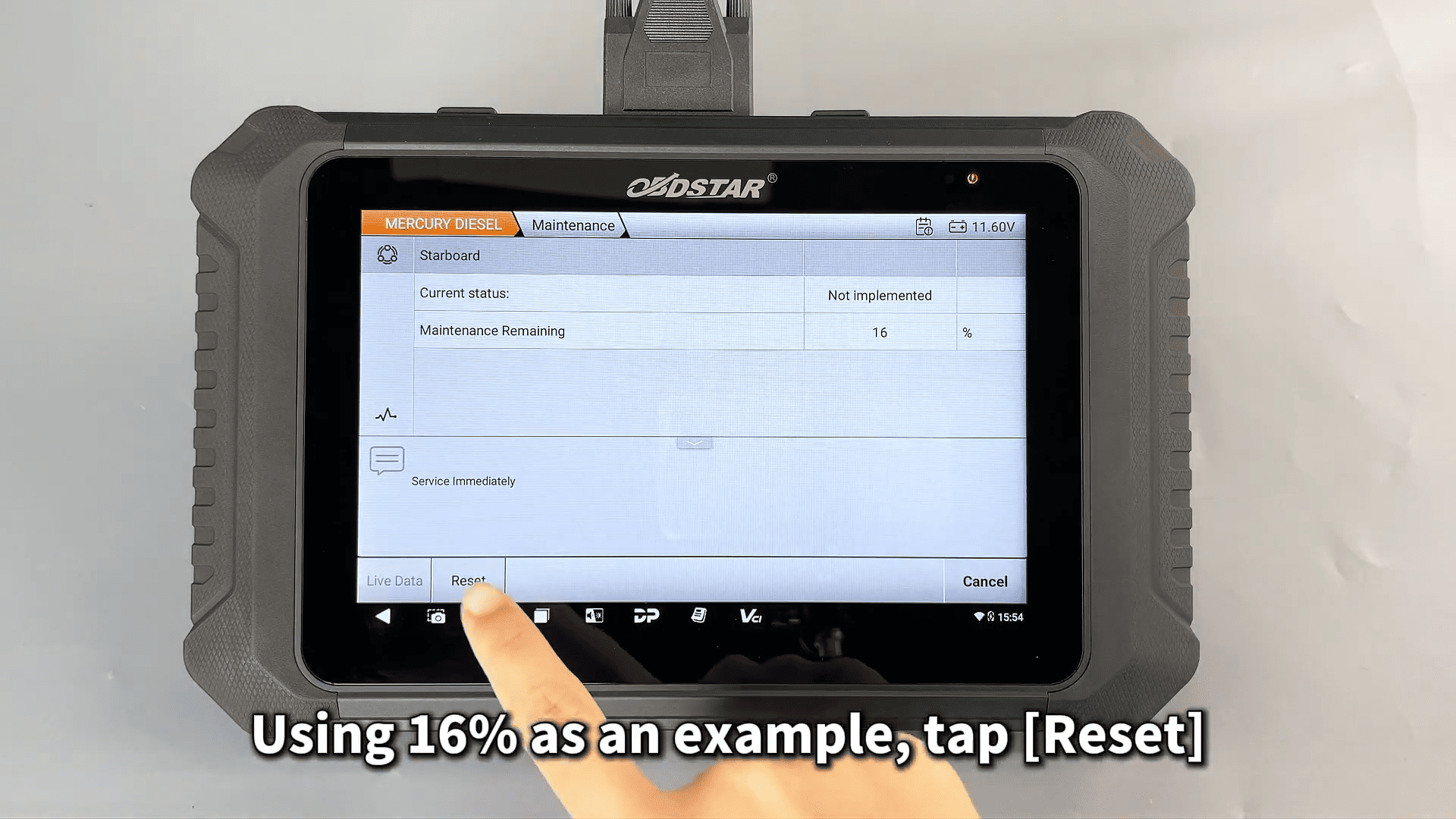
The OBDSTAR MarineMaster displays the remaining maintenance percentage for each engine:
- 100% – 16%: Normal condition
- 15% or below: Oil and filter replacement recommended
- 0%: Overdue – stop the engine and perform maintenance immediately
6. Perform the Reset
Using 16% as an example, tap [Reset].
Once “Reset Complete” appears, the maintenance counter is successfully cleared.
7. Repeat for Dual Engines (if applicable)
Follow the same steps for the second engine.
With MarineMaster Diagnostic Tool, Mercury Diesel maintenance resets are fast, accurate, and user-friendly – ideal for marine technicians and boat owners.
For more marine diagnostic solutions, contact us
E-Mail: sales@OBDSTARshop.de
WhatsApp: +86 15223201143
Tel: +86-15223201143
Leave a Reply