



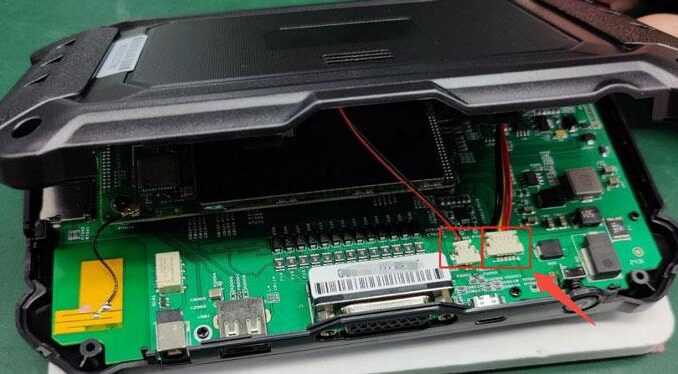
If your OBDSTAR device (OBDSTAR Odomaster, X300 PRO4, or P50) won’t power on, follow this quick troubleshooting guide to get it working again.
Step-by-Step Fix
1. Charge with Original Adapter
Connect the original power adapter and charge for a few minutes, then try powering on.
2. Check Battery Connection if it still doesn’t start:
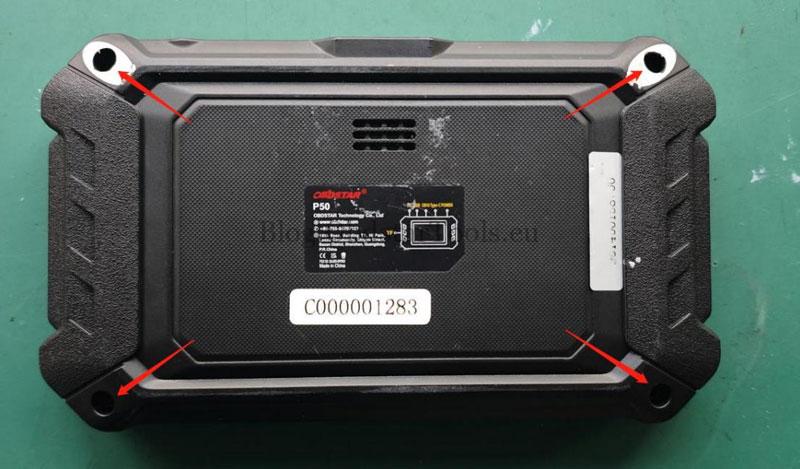
Remove the four back screws with a screwdriver.
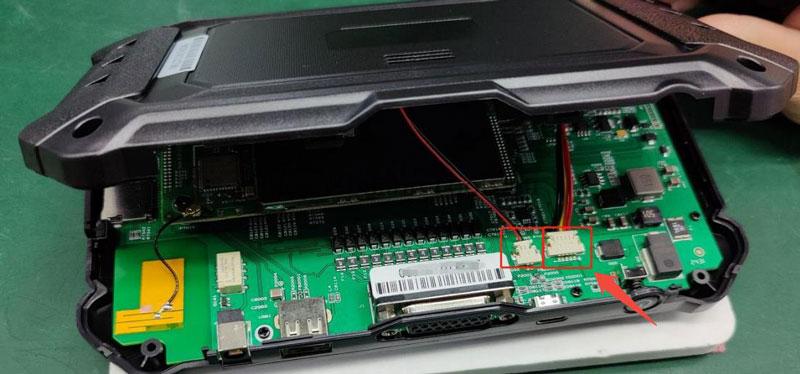
Open the cover, disconnect the battery cable.
Plug in the adapter and test if it boots now.
3. Contact Support if Needed
For persistent issues, reach out for professional repair.
E-Mail: sales@OBDSTARshop.de
WhatsApp: +86 15223201143
Tel: 0086-15223201143
Leave a Reply