
Problem:
OBDSTAR G3 can no longer communicate with any Bosch EDC17C74 ECU after an interrupted write operation.
Details:
Previously, the G3 could connect and communicate normally with EDC17C74 ECUs.
After a write process was interrupted, the G3 lost the ability to connect to any EDC17C74.
A known-good EDC17C74 ECU was tested and confirmed working with Xhorse Multi-Prog, but the G3 still cannot establish communication.
Other modules (e.g. DQ200 TCU) work normally on the same G3, so it is not a general communication failure. Why can OBDSTAR X300 Classic G3 no longer communicate with EDC17C74? Did the interrupted write affect the EDC17C74 protocol or software configuration?
Solution:
Cloning of Volkswagen MED17 and EDC17 ECUs requires converting INT EEPROM data before writing to the new ECU, otherwise the ECU will report an internal fault!
Operating Guide:
Step 1: Load the original INT FLASH file for the new ECU.
Step 2: Load the INT FLASH file of the old ECU.
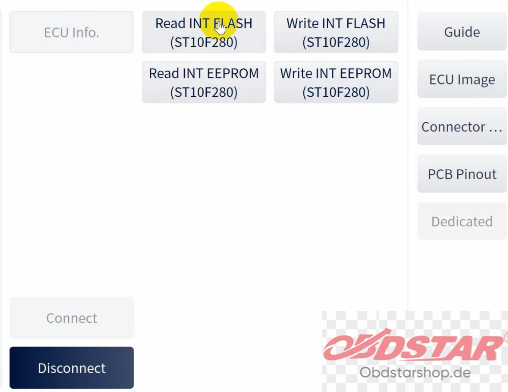
Step 3: Load the INT EEPROM file of the old ECU.
Step 4: Tap [OK] to save the converted INT EEPROM data (CLONE).
Step 5: Tap [Back], and then select [Write INT EEPROM] to write the saved INT EEPROM data (CLONE) to the new ECU;
Step 6: Select [Write INT FLASH] to write the INT FLASH data from the old ECU to the new ECU.
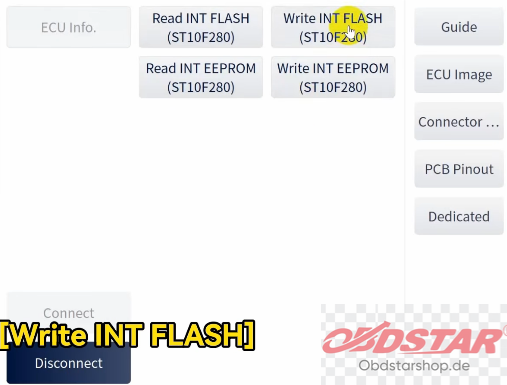
By following the steps above, you can clone the data from the old ECU to the new ECU.
Leave a Reply