




In this tutorial, we demonstrate how to use KeyMaster G3 to repair and reset the Audi battery management system module with part number 4N0915105F.
Tools Required
OBDSTAR G3
High-Power DC Regulated Power Supply
OBDSTAR Main Cable
Jumper Wires
MP001 Programmer
Audi Battery Module
Before starting, make sure the software is updated to the latest version.
Step 1: Enter Battery Reset Function
Open the device and select:
[Crash Reset] → [BATTERY RESET] → Audi
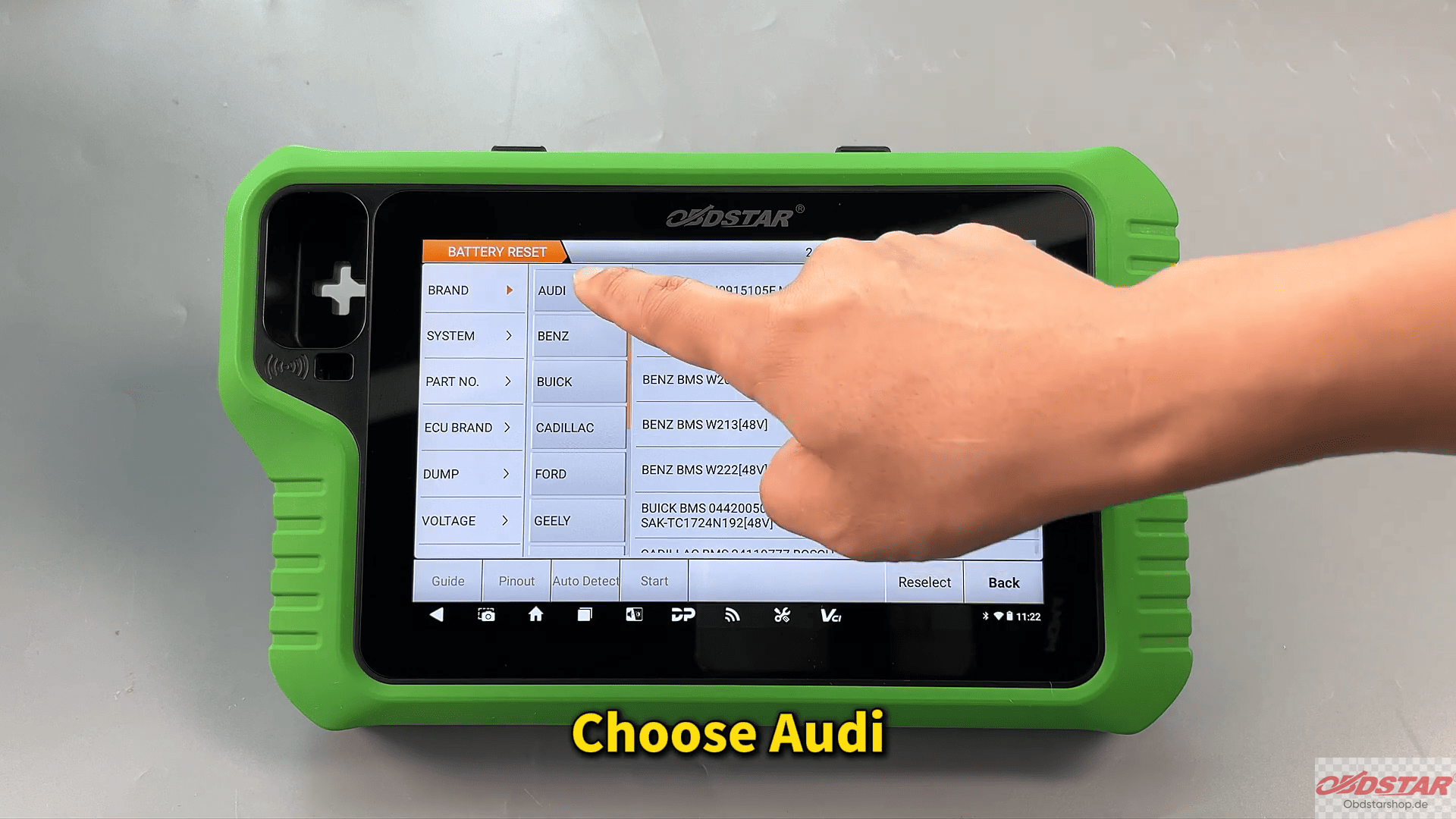
Tap [Guide] to check the wiring diagram and connection instructions.
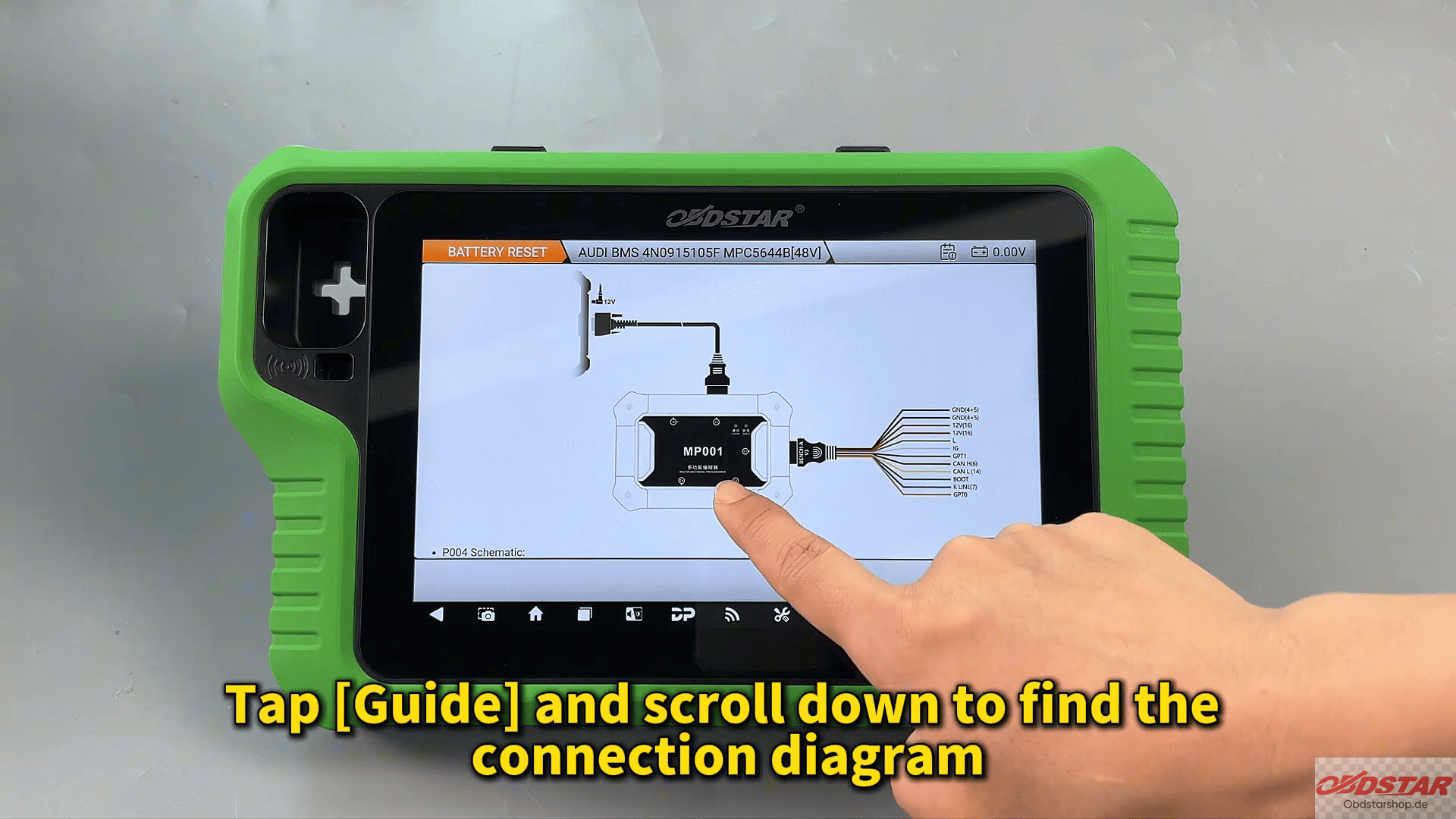
Step 2: Verify Module & Wiring
Return to: [Pinout]
Confirm the module appearance and part number match the selected model.
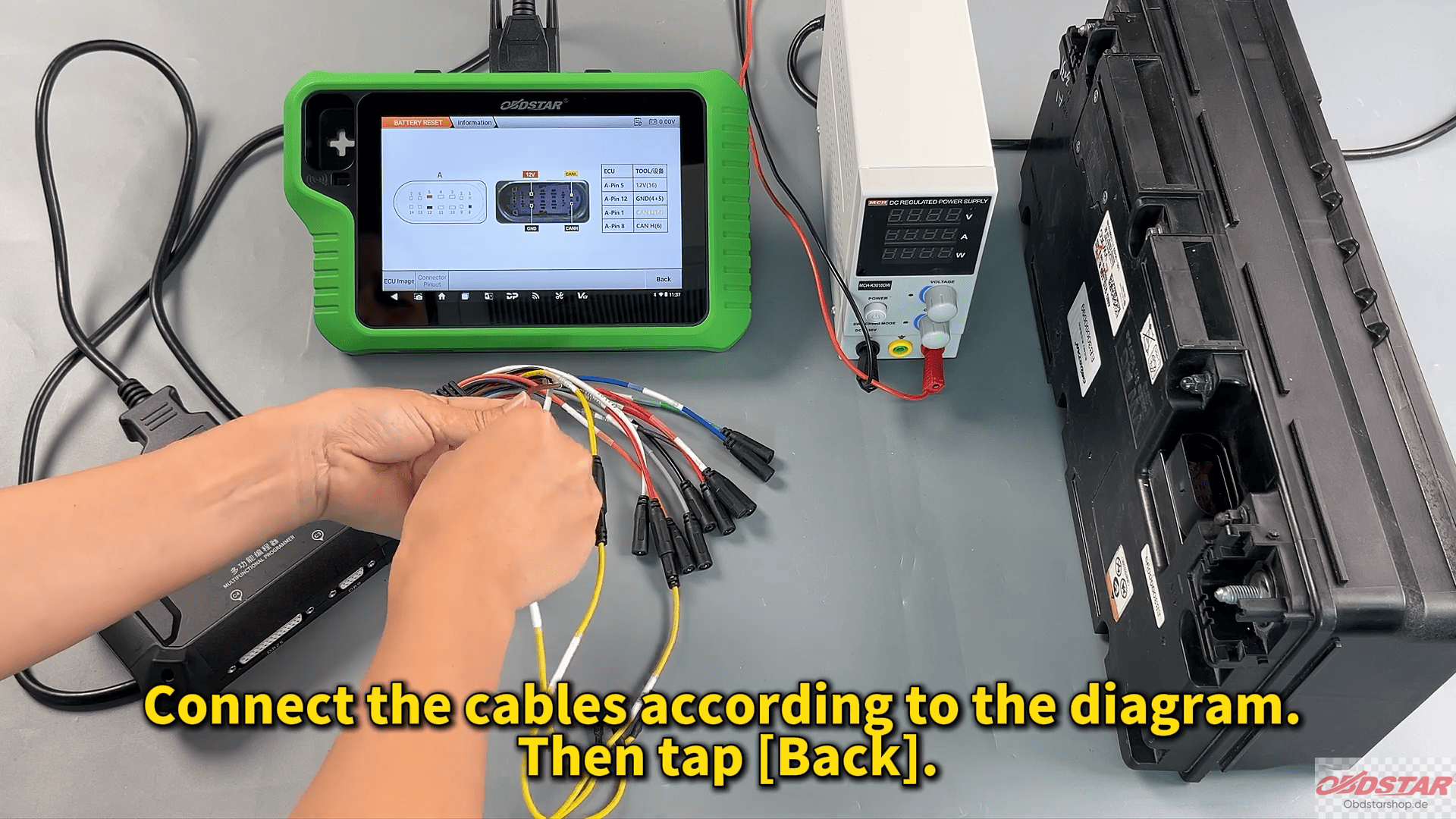
Then connect the cables according to the diagram.
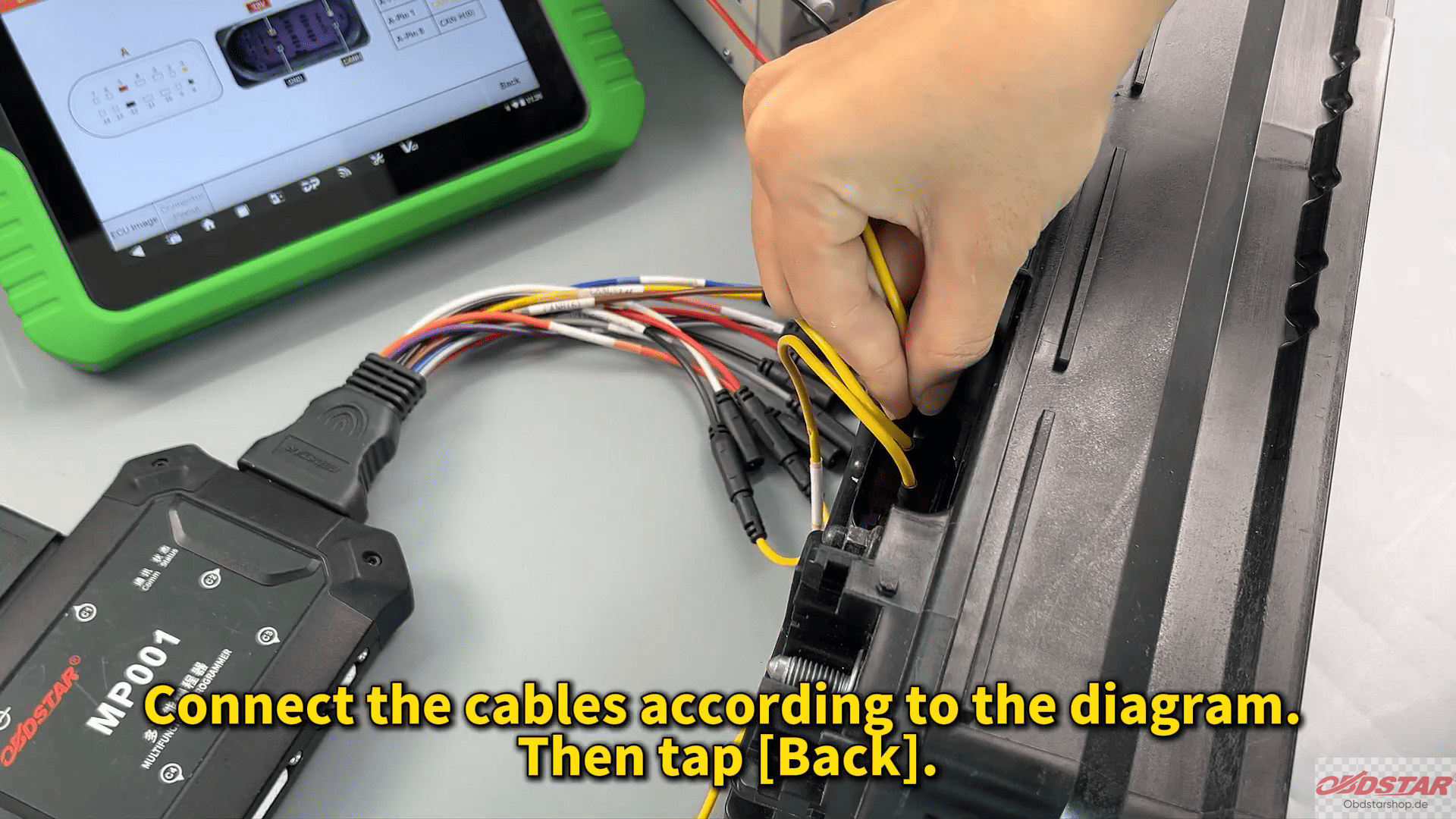
Step 3: Connect the Module
Tap: [Back] → [Start]
Select:
BENCH Mode + MP001
Check ECU information to confirm the correct module is connected.
Step 4: Read & Clear Crash Data
Read DTCs first to confirm crash data exists.
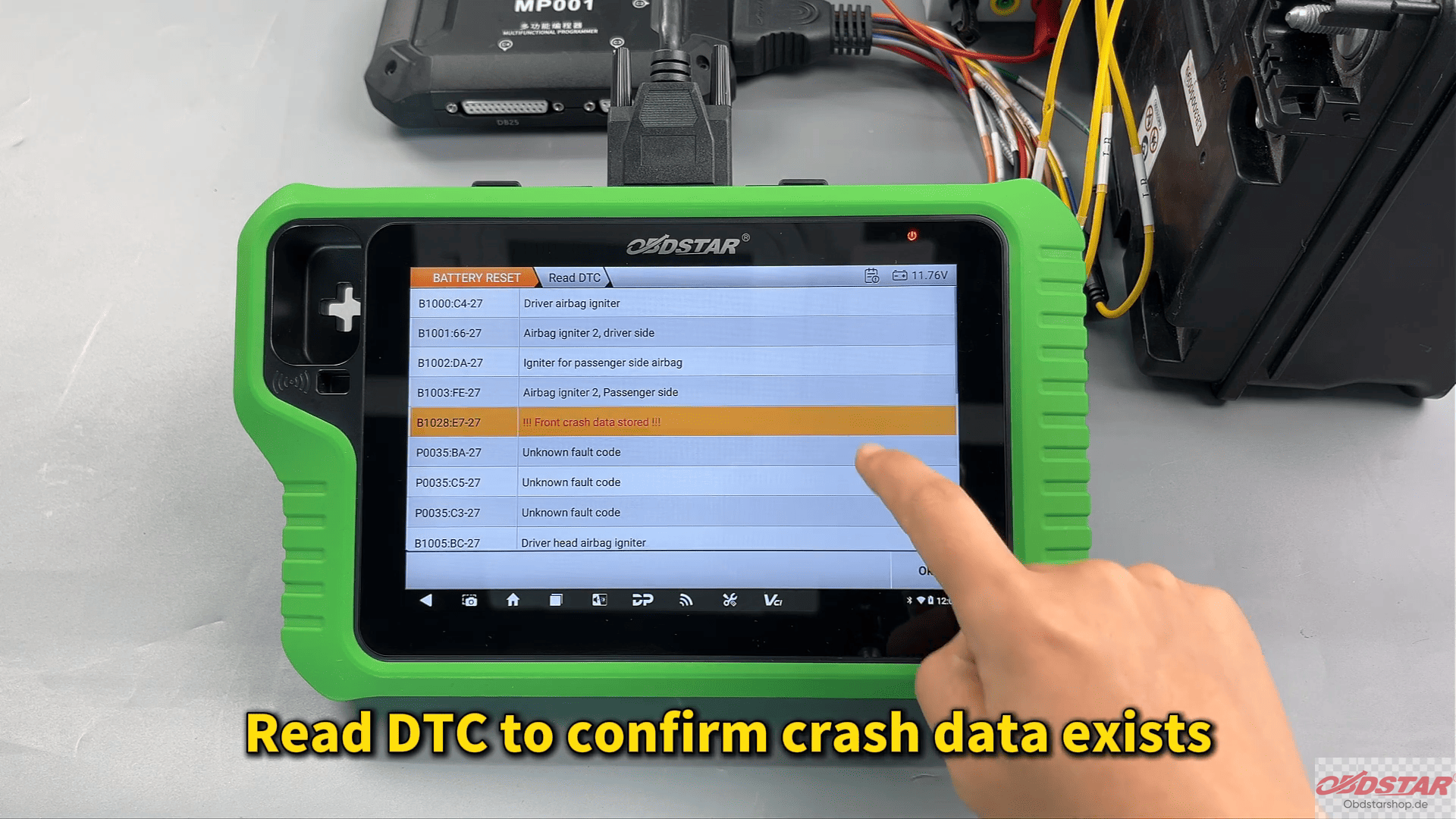
Then select: [Erase Crash] → [Erase DTC]
The system will clear collision history and fault codes successfully.
Step 5: Verify Repair
Read DTCs again to confirm the crash records have been removed completely
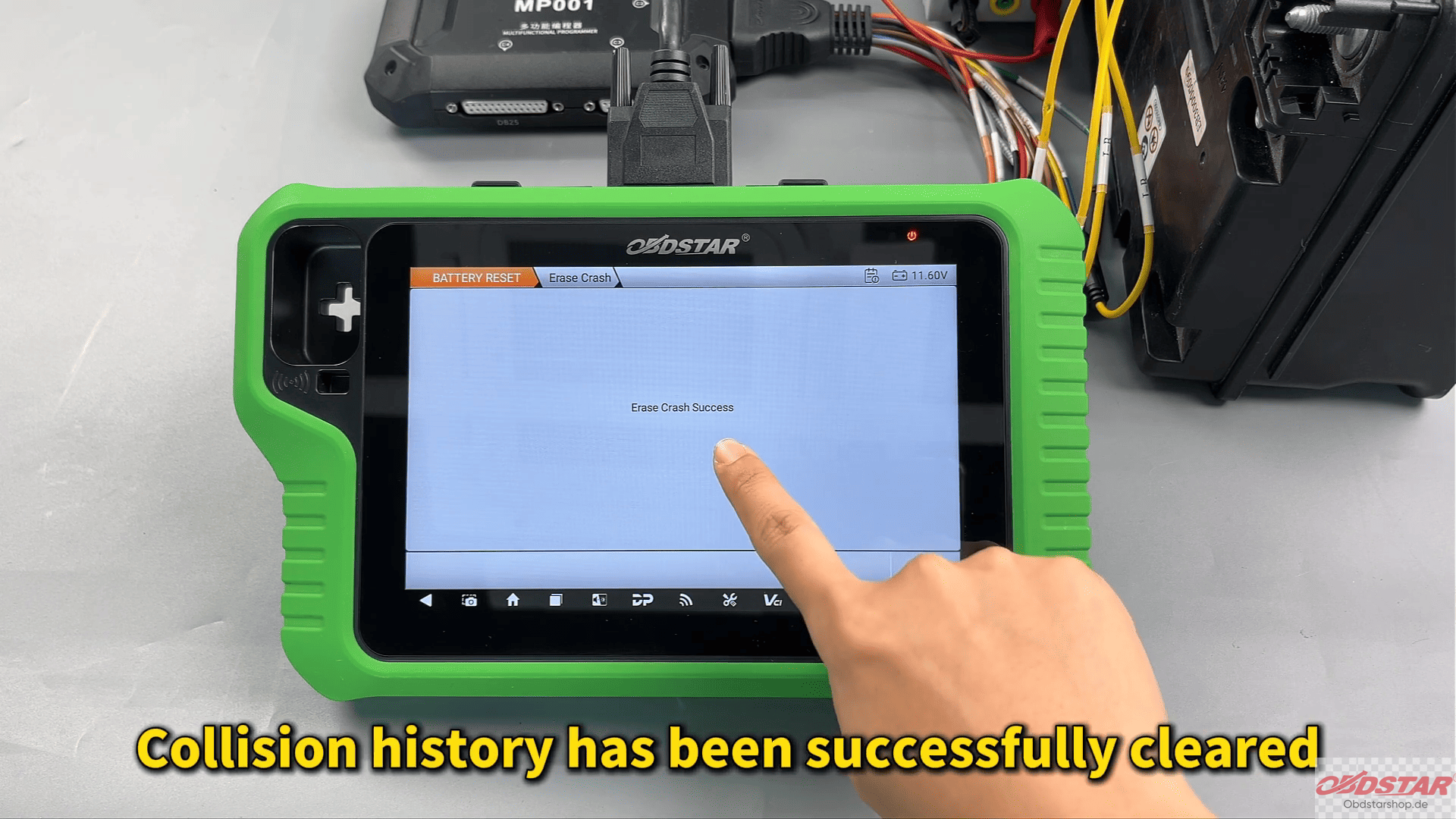
The Audi BMS repair process is now finished.
This is a fast and practical solution for Audi battery module crash data repair using OBDSTAR X300 Classic G3.
Read also:
Toyota GEN3 R7F701216 Read & Write Tutorial with KeyMaster G3
Leave a Reply